Osta kuin kauppias —
suoraan tehtaalta
suoraan tehtaalta
Uusia sähköpyöriä ja skuutteja lähes joka viikko!
Ostoskorissa ei ole tuotteita
Ostajansuoja käytettävissä tuetuilla maksutavoilla. Maksun käsittelevät valitsemasi maksupalvelut niiden omien ehtojen mukaisesti.
Sähköpyörää tai potkulautaa tilatesasi maksat kassalla vain 9,90€ palvelumaksun.

Tilauksen tehtyäsi sinulle lähetetään sähköpostiin maksulinkki, millä maksat pyörän tehtaalle.
Maksulinkki toimitetaan vuorokauden sisällä tilauksesta.

Sell your products accross Europe
easily and securely!
Before we start the training, I want to explain very briefly why EbikeFactory.eu is such a powerful opportunity for manufacturers.
You do not need to replace your existing dealers or change the way you currently do business.
EbikeFactory.eu simply adds a new international sales channel alongside your existing business.
You manufacture the products.
You control your products and prices.
You communicate with the customers.
You receive the orders.
Our job is to help new customers around the world find you.
And one of the biggest barriers in international sales — language — is removed. Customers can communicate with you in their own language, while you can communicate in yours.
We are starting with Europe and the UK, expanding to the United States, and then gradually opening new markets around the world.
The goal is simple:
More customers. More orders. More markets.
5:50 – Training begins
At 5 minutes and 50 seconds, the actual EbikeFactory.eu system training begins.
As you will see, the system is designed to be very simple and easy to use.
We will show you step by step how to manage your products, prices, customers and orders.
—
END OF VIDEO – Support
And remember: you are not alone with the system.
Our team is available on weekdays from 8:00 to 18:00 Finnish time.
If you need help, have a question, find a problem, or simply have an idea for improving the system, please contact us.
WhatsApp: +358 44 902 6348
We welcome all feedback.
We are continuously developing EbikeFactory.eu and making the system better for you and your customers.
You focus on making great products. We help connect you with customers around the world.
Welcome to EbikeFactory.eu.
Full training video for vendors / factories.
See how to send the Alibaba payment link to customers.
(Customer Video)
See the video shown to customers in the online store / platform.
(Customer Video)
See what happens after the order and what the customer sees.
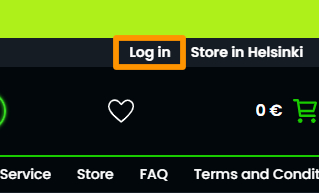
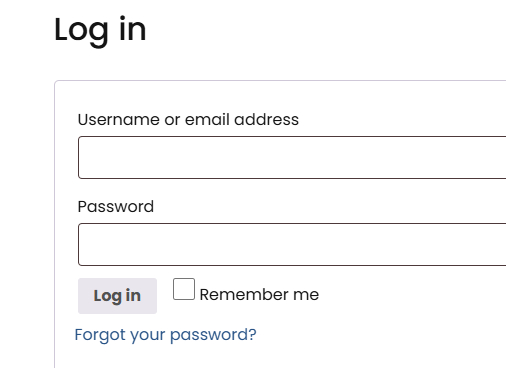
On desktop, open the sahkopyoratehdas.com website and click the “Log in” link.
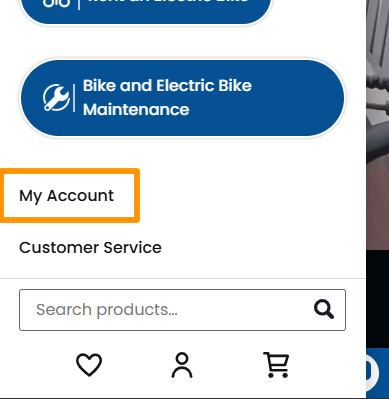
On mobile devices, open the main navigation menu from the top left corner of the screen and click the “My Account” link.
1. Enter your username or email address in the first field
2. and your password in the second field,
then log in by clicking the “Log in” button.
If log in does not work you can request new password from Forgot your password? link.
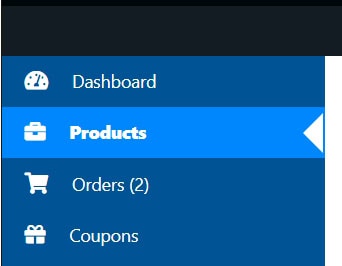
In the dashboard, go to the Products tab and click the name of the product you’d like to edit in the list.
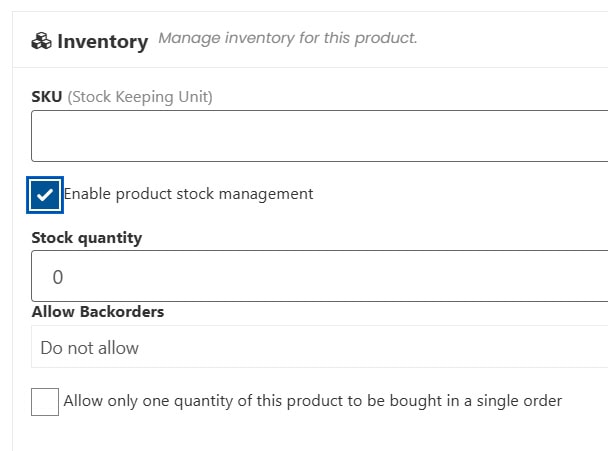
In the product editor, under the Inventory section, you can set the stock quantity after selecting the “Enable product stock management” checkbox.
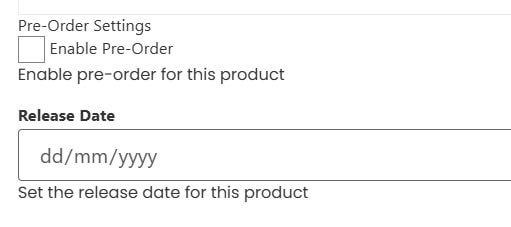
In Pre-Order Settings, you can enable pre-orders and set the future release date when the product will be available.
After editing the product, click “Save Product” at the bottom.
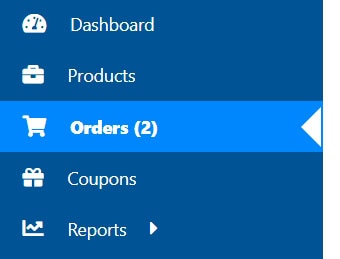
Go to the Orders tab and select an order by clicking its ID in the list.
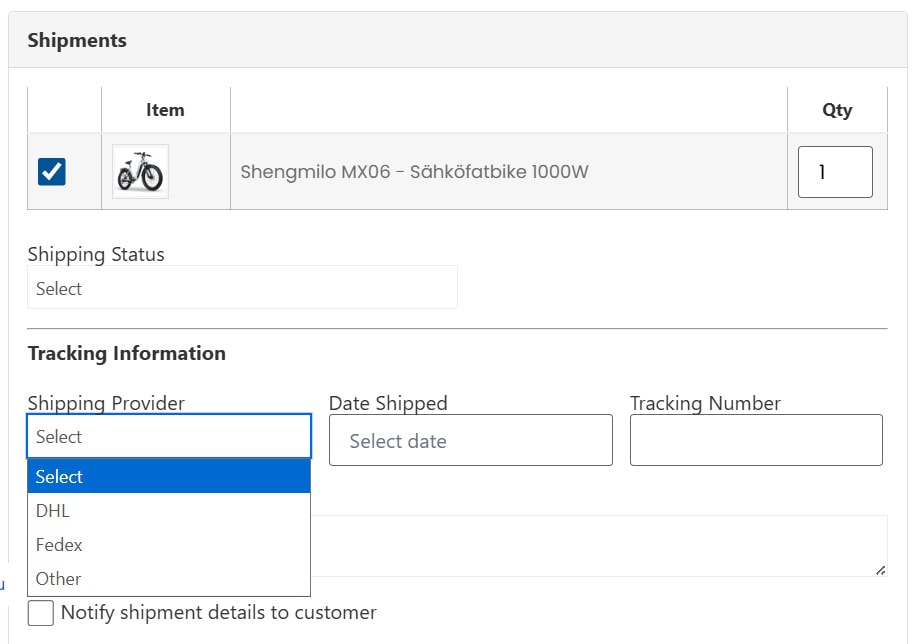
In order editor click Create new shipment button.
Live chat enables conversations between vendors and customers.
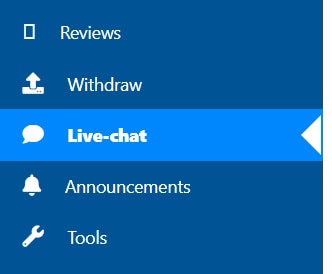
Live chat settings can be found by clicking the gear icon in the footer of the chat section.
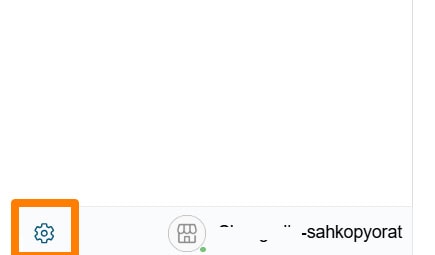
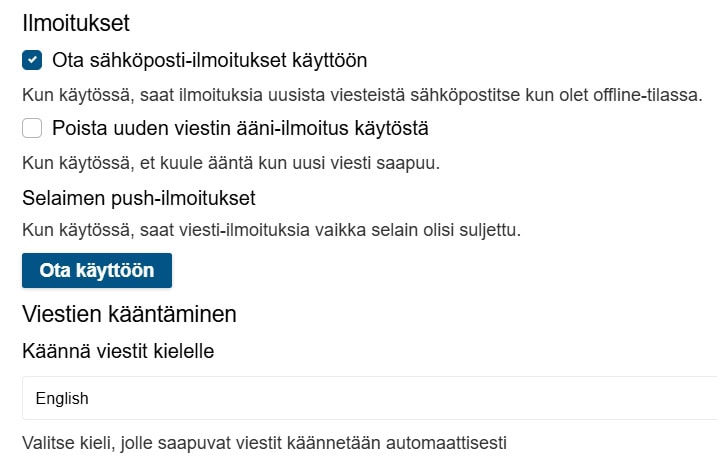
The first checkbox enables email notifications.
The second checkbox disables in-browser sound notifications.
The “Ota käyttöön” button enables push notifications in your web browser.
The dropdown menu sets the language that customer messages are translated into if the customer has enabled translations in their chat settings.
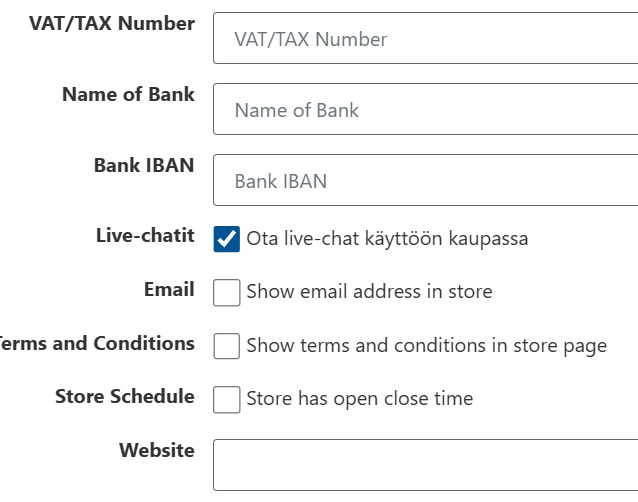
You can disable live chat for your vendor account by navigating to Settings → Store in the main left navigation menu and unchecking the “Live-chatit” checkbox. After that, click the Update Settings button at the bottom.
Parhaan kokemuksen tarjoamiseksi me ja kumppanimme käytämme teknologioita, kuten evästeitä, tallentaaksemme ja/tai käyttääksemme laitetietoja. Näiden tekniikoiden hyväksyminen antaa meille ja kumppanimme mahdollisuuden käsitellä henkilötietoja, kuten selauskäyttäytymistä tai yksilöllisiä tunnuksia tällä sivustolla, ja näyttää (ei-)personoituja mainoksia. Suostumuksen jättäminen tai peruuttaminen voi vaikuttaa haitallisesti tiettyihin ominaisuuksiin ja toimintoihin.
Napsauta alta hyväksyäksesi yllä olevat tai tehdäksesi tarkkoja valintoja. Valintasi koskevat vain tätä sivustoa. Voit muuttaa asetuksiasi milloin tahansa, mukaan lukien suostumuksesi peruuttaminen, käyttämällä evästekäytännön vaihtopainikkeita tai napsauttamalla näytön alareunassa olevaa suostumushallintapainiketta.
Ladataan videota...

Myynti ja huolto palvelee puhelimessa arkisin:
klo 10:00 - 12:00
Jos linja on ruuhkautunut, voit soittaa myös myymälän numeroon:
+358 41 328 7145
Myymälä palvelee maanantaista perjantaihin klo 12:00-18:00 ja
lauantaisin klo 12:00-18:00.
Tällä hetkellä tilausmäärät ovat poikkeuksellisen suuret.
Tehdashintojen laskun vuoksi tuotteiden hinnat ovat alentuneet
300-600 euroa.
Myymälän osoite:
Horisontti 2, 00590 Helsinki
Euroopan sähköpyörätehtaiden yhteinen myymälä.